
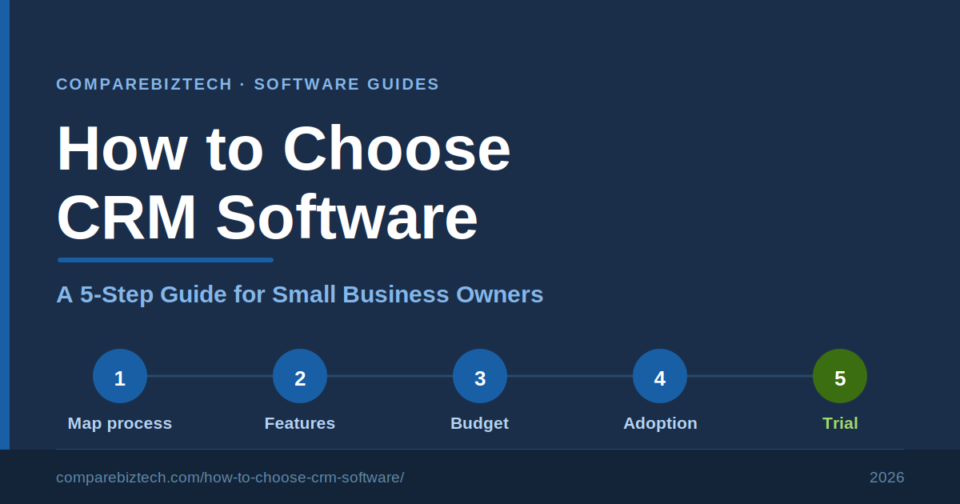
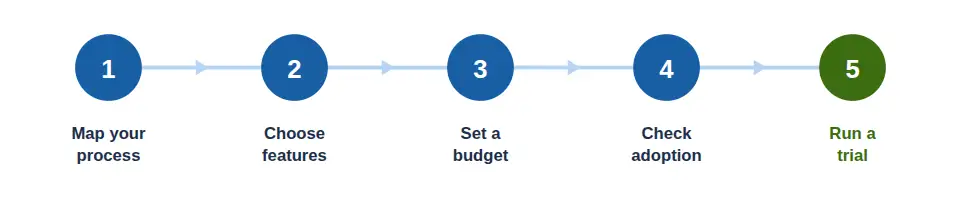
To choose CRM software, work through five steps: (1) map your sales process and pinpoint what’s breaking, (2) separate must-have features from nice-to-haves, (3) set a realistic budget and learn the pricing models, (4) check integrations and how easily your team will adopt it, and (5) run a free trial against your real workflow before you commit. The right CRM is the one that fits how you actually sell — not the one with the longest feature list.
Choosing CRM software looks simple until you have forty browser tabs open and every vendor claims to be the best. The cost of choosing wrong is real: a tool your team quietly abandons, money spent on tiers you never use, and a painful re-migration a year later when you realise the “popular” pick never matched how you work. The fix is not more research — it is a repeatable process.
This guide walks you through how to choose CRM software in five clear steps, written for small business owners who do not have a dedicated operations team to lean on. Follow it and you will arrive at a short, confident shortlist that you have tested against your own workflow. When you reach the point of comparing specific products, our best CRM software guide scores the leading platforms in detail — this framework is about getting you to that comparison knowing exactly what you need.
Map your sales process and define what the CRM must do
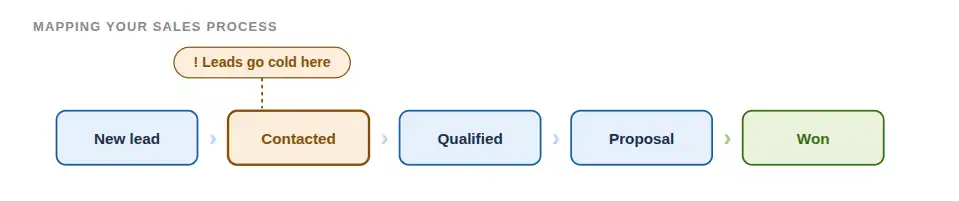
Before you look at a single product, map how a lead becomes a customer in your business today — and where it breaks down. A CRM is only useful if it fixes a problem you actually have, so start with the problem, not the software. Spend twenty minutes answering these prompts:
- Where do your leads come from? Website forms, referrals, cold outreach, events, inbound calls?
- What are the stages between a new lead and a closed deal? Write them down in order.
- What falls through the cracks today? Forgotten follow-ups, lost email threads, no visibility when someone is away?
- Who needs to see what? Just you, or a team that needs shared access to the same customer history?
- What are you doing manually that you would happily automate — reminders, data entry, status updates?
The output is a one-page needs list. That list becomes the yardstick you hold every tool against for the rest of this process. Skip this step and every CRM will look impressive; complete it and most of them quietly disqualify themselves.
Separate must-have features from nice-to-haves
Every CRM markets a long feature list, but a small business needs surprisingly few of them to get value on day one. The skill is telling the essentials apart from the features that add cost, complexity, and setup time without moving the needle. Use your Step 1 needs list to sort features into three buckets:
| Must-have for most small businesses | Situational — add if you need it | Usually skip early |
|---|---|---|
| Contact & lead management | Marketing automation | AI forecasting |
| Pipeline / deal tracking | Custom workflows & automations | Complex role hierarchies |
| Tasks & reminders | Advanced / custom reporting | Territory management |
| Email integration | Built-in calling | Heavy customisation |
| Basic reporting | Quotes / proposals | Multi-entity setups |
| Mobile access | E-signatures / documents | Advanced permissions |
As a rough guide, the tools you will encounter tend to sit in tiers. A free entry-level CRM (for example, HubSpot’s free plan) suits first-timers who mainly need contact and pipeline tracking. A low-cost, feature-rich option (such as Zoho CRM) adds automation and reporting without a big jump in price. A pipeline-simple tool (such as Pipedrive) keeps things lean for sales-led teams. And a heavier enterprise suite (such as Salesforce) offers far more than most small businesses need at the outset. Those are illustrations of categories, not rankings — when you want them compared feature by feature, that is exactly what our best CRM software comparison is for.
Set a realistic budget and understand CRM pricing models
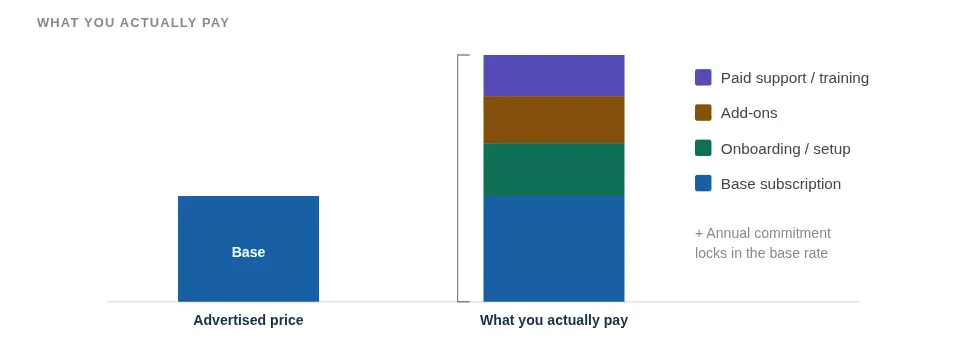
CRM pricing trips up more small businesses than any other part of the decision, because the sticker price is rarely the real price. Most CRMs charge per user, per month, usually with tiered plans — and the tier you actually need is often a step above the one advertised. Before you compare numbers, understand the model and the hidden costs:
- Free plans are a legitimate starting point for solo owners and very small teams — just know the upgrade triggers (user limits, automation, reporting) before you rely on one.
- Onboarding and setup fees are sometimes charged separately, especially on higher tiers.
- Add-ons for features like e-signatures, extra storage, or advanced reporting can quietly stack up.
- Annual commitments often unlock the advertised price — monthly billing usually costs more.
- Paid support or training may sit outside the base subscription.
To size your own spend, multiply the per-user price by your team size and by twelve. The table below uses representative price bands (not any single vendor’s exact pricing) so you can see how cost scales with team size:
| Team size | Free tool | Starter (~$15/user/mo) | Professional (~$45/user/mo) | Advanced (~$75/user/mo) |
|---|---|---|---|---|
| Solo (1 user) | $0 | ~$180/yr | ~$540/yr | ~$900/yr |
| Small team (5 users) | $0 | ~$900/yr | ~$2,700/yr | ~$4,500/yr |
| Growing (10 users) | $0 | ~$1,800/yr | ~$5,400/yr | ~$9,000/yr |
Check integrations and how easily your team will adopt it
A CRM does not live in isolation — it has to fit the tools you already use, and it has to be something your team will genuinely open every day. Both matter more than any feature checkbox.
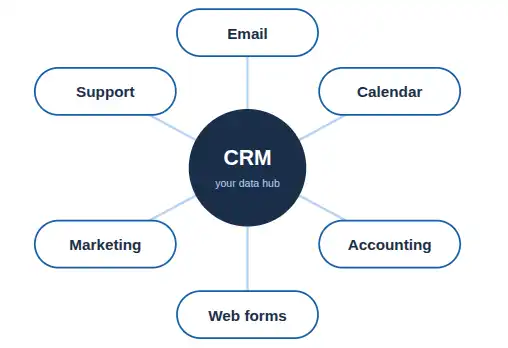
On integrations, check that the CRM connects cleanly to the systems your business already runs on:
- Your email and calendar (so conversations and meetings log automatically)
- Your accounting software (so customer and invoice data stay in sync)
- Your website forms and lead sources (so new leads arrive without manual entry)
- Any other core tools — e-commerce, support, or marketing platforms you rely on
On adoption, be honest about your team. The single most common reason a small-business CRM project fails is not a missing feature — it is that nobody actually uses the thing. A powerful CRM that your team avoids is worth less than a simple one they open daily. Weigh setup effort, whether there is a usable mobile app, and how quickly a non-technical team member can find what they need without training. Simplicity is a feature.
Run a free trial and pressure-test before you commit
You have a needs list, a feature shortlist, and a budget. Now narrow to two or three options and actually test them — not by clicking around the demo, but by running your real workflow through each one. Most CRMs offer a free trial or a free tier; use it deliberately with this checklist:
- Import a batch of your real contacts and see how cleanly they land
- Push one real deal through the full pipeline, start to finish
- Send a client email from inside the CRM and check it logs correctly
- Open it on your phone and try a task you would do on the move
- Contact support once with a real question — and time the response
Whichever tool passes your workflow wins — not the one with the most features or the biggest brand. A week of real testing tells you more than a month of reading comparison pages, and it is the cheapest insurance against choosing wrong.
Common mistakes small businesses make when choosing a CRM
Even with a process, a few predictable traps catch small business owners. Watch for these:
- Buying on brand or popularity. The best-known CRM is not automatically the best fit for how you sell.
- Over-buying features. Paying for automation and analytics you will not touch for years just adds cost and complexity.
- Ignoring adoption. If the team will not use it, the feature list is irrelevant.
- Skipping the trial. Committing without testing your real workflow is how firms end up migrating again within a year.
- Forgetting migration and data cleanup. Messy contact data moved into a new CRM is still messy — plan the tidy-up.
- Choosing on price alone. The cheapest tool is expensive if it does not fit; the priciest is wasteful if you use a fraction of it.
Where to go next
Once you have worked through the five steps, you are ready to choose with confidence. From here:
To compare specific platforms feature by feature, with pricing and scoring, head to our best CRM software guide — it takes the shortlist you have built and helps you make the final call. If you are a small business owner who followed this framework, that comparison is the natural next stop.
Ready to compare specific CRMs?
See the leading CRM platforms scored on features, pricing, ease of use, and fit — so you can turn your shortlist into a decision.
Compare the best CRM software →Frequently asked questions

Praveen Kumar Panjiar is the founder of CompareBizTech.com, where he cuts through the noise in B2B tools with sharp, no-fluff comparisons. His work focuses on breaking down features, pricing, and real-world use cases, built specifically for high-intent buyers evaluating tools and looking to choose the right solution, fast.