
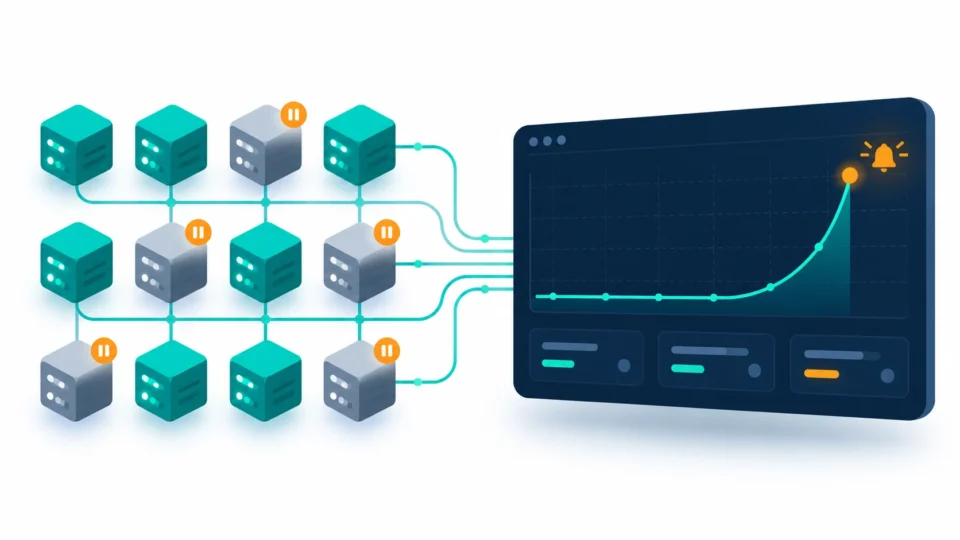
Cloud bills don’t surprise anyone slowly. They surprise you all at once, usually the week after a new feature shipped and nobody noticed the idle Kubernetes nodes it left running. That’s the gap the best cloud cost management software is built to close, and in 2026 the gap between “we have a dashboard” and “we actually control spend” has gotten a lot wider.
This guide compares the top finops platforms for enterprise teams actually running, what each one costs, where they genuinely differ, and which of the best cloud cost optimization tools fits a startup burning $50K a month versus an enterprise managing a nine-figure cloud footprint. If you’re comparing multi cloud cost management tools compared side by side for a procurement decision, this is built to get you there faster.
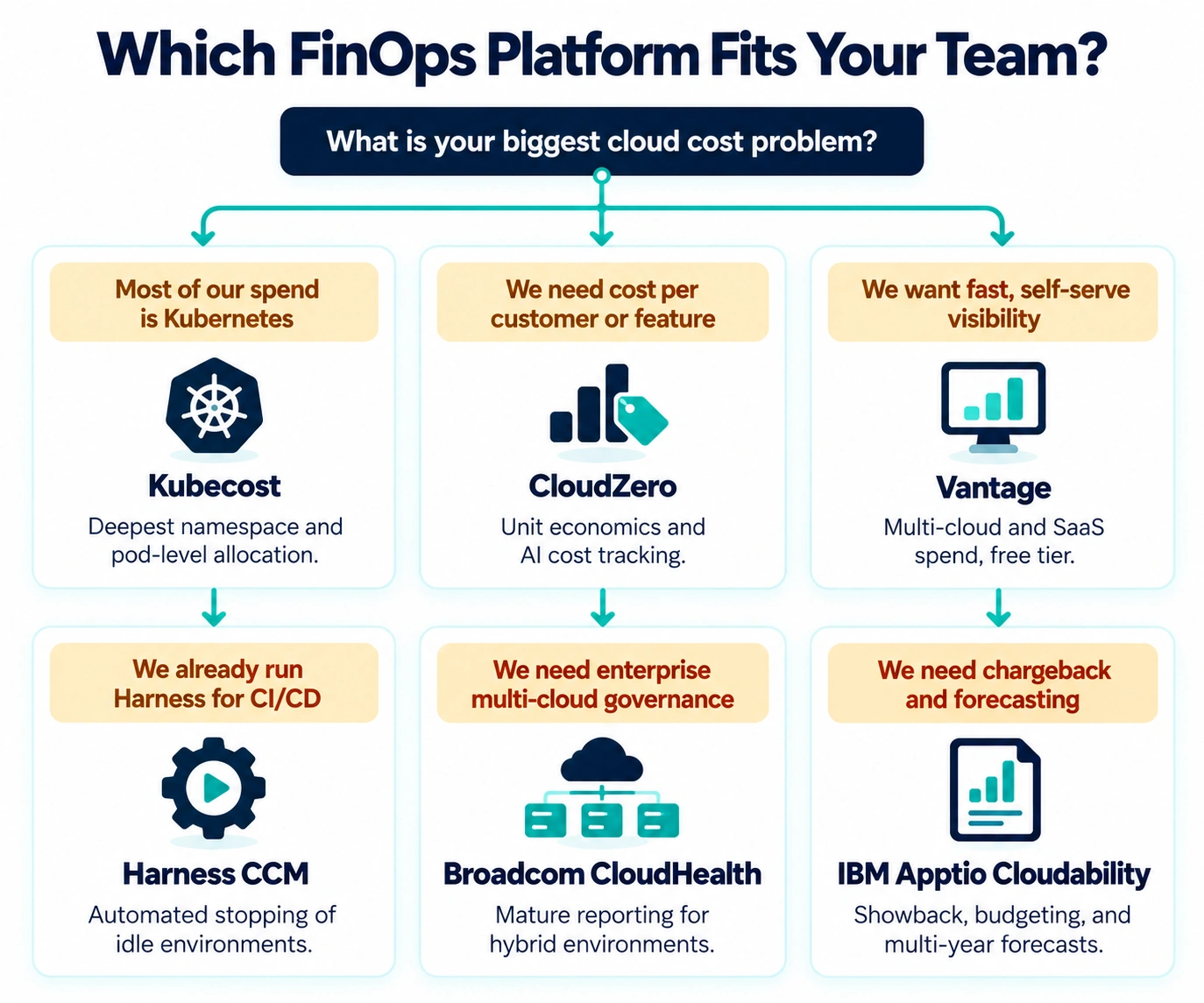
Quick Comparison: Top FinOps & Cloud Cost Optimization Platforms
| Platform | Best For | Pricing Model | Kubernetes Depth | Free Tier |
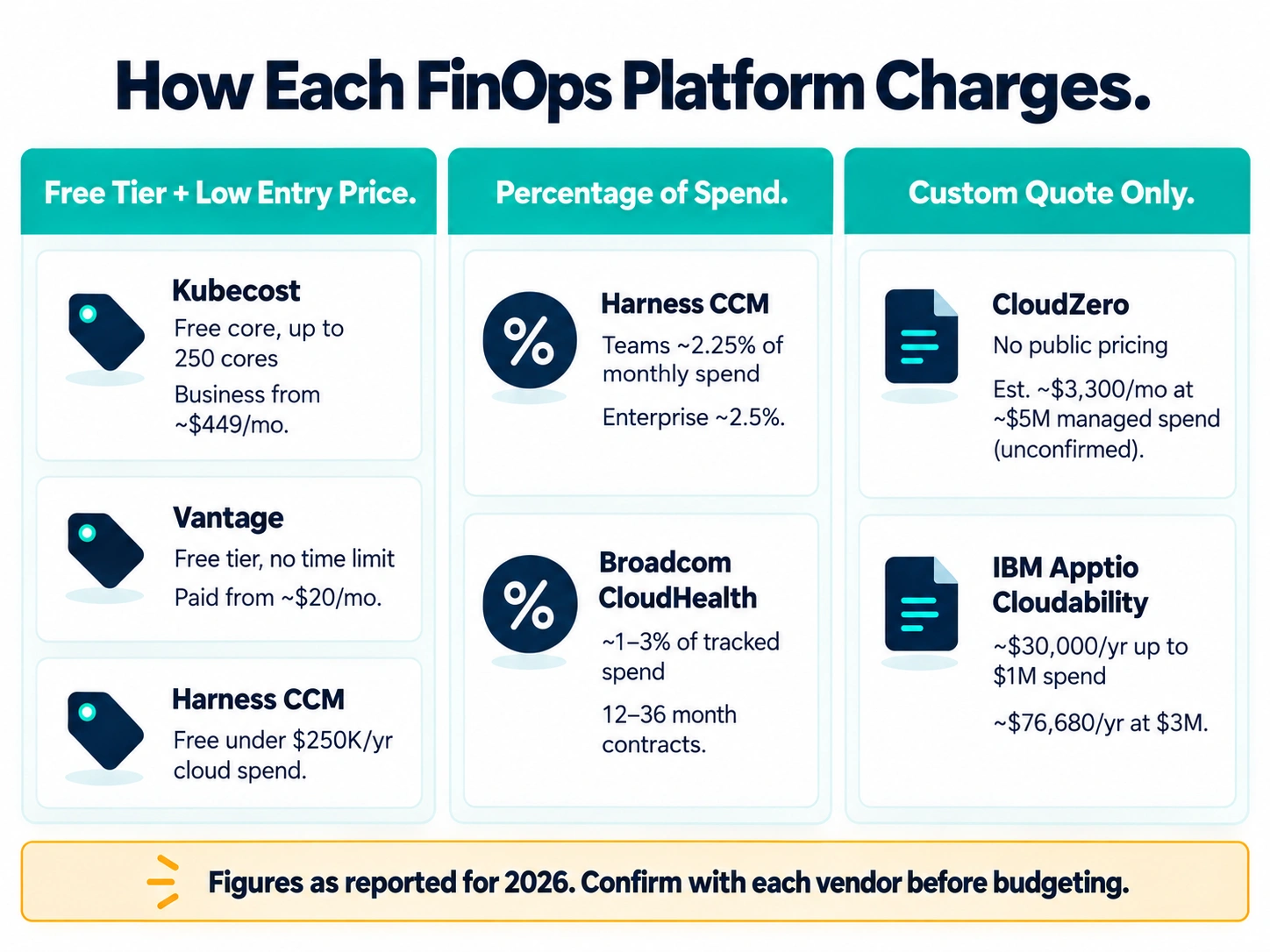
| Kubecost | Kubernetes-native allocation | Free core; Business from ~$449/mo | Deepest on the market | Yes, up to 250 cores aggregated |
| CloudZero | Unit economics, cost-per-customer | Custom, scales with spend | Moderate | No |
| Vantage | Developer-friendly multi-cloud + SaaS | Freemium, paid from ~$20/mo | Limited without paid tier | Yes, uncapped |
| Harness CCM | Cost control inside CI/CD pipelines | % of cloud spend (~2.25–2.5%) | Strong, engineering-led | Yes, under $250K/yr spend |
| Broadcom CloudHealth | Enterprise multi-cloud governance | ~1–3% of tracked spend | Moderate | No |
| IBM Apptio Cloudability | Enterprise chargeback and forecasting | % of spend, ~$30K+/yr | Moderate | No |
What Is FinOps Software and Why Do Enterprises Need It?
FinOps software is the layer that turns a cloud bill into something a finance team, an engineering lead, and a CFO can all actually read and act on. Native dashboards from AWS, Azure, and Google Cloud show you what you spent. FinOps platforms go further: they allocate that spend to teams, features, or customers, flag anomalies before they become a line item nobody can explain, and in the stronger platforms, take automated action to fix waste without a human babysitting every recommendation.
The pressure behind this category is pretty simple. Cloud spend keeps climbing as more workloads move to containers and AI inference, and the old model of a quarterly cost review doesn’t catch a runaway GPU cluster or a forgotten staging environment fast enough. Real time cloud billing alerts and anomaly detection in cloud spend have moved from nice-to-have to table stakes for anyone running meaningful infrastructure.
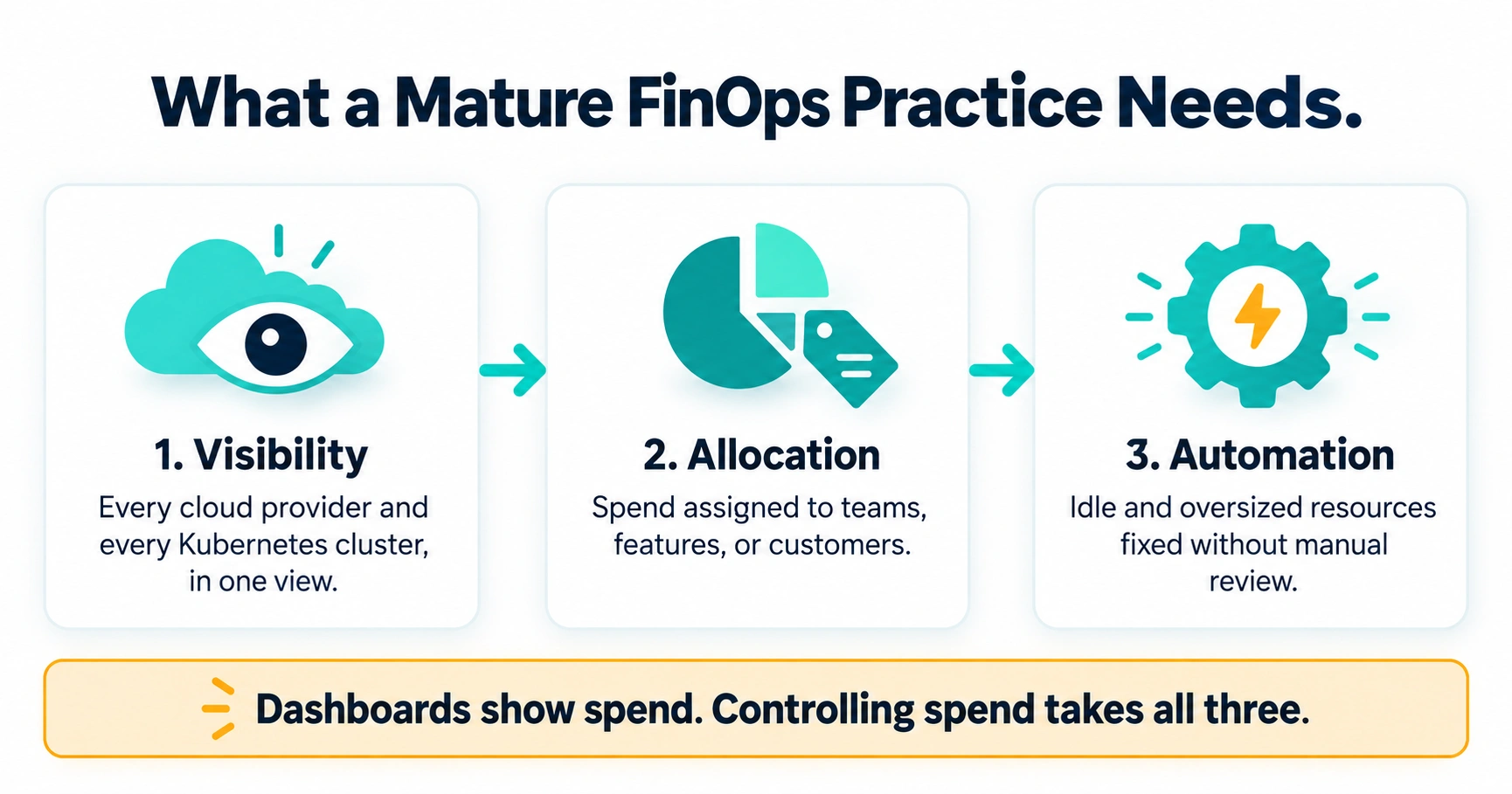
A mature FinOps practice, the kind most of these platforms are built to support, usually needs three things working together:
- Visibility across every cloud provider and every Kubernetes cluster, not just one
- Allocation down to the team, feature, or customer level, so unit economics actually mean something
- Automation that acts on waste, idle resources and oversized instances, without waiting on a manual review cycle
Best Cloud Cost Management Tools Reviewed (Features, Pros, Cons & Pricing)
Kubecost
Kubecost is the name that comes up first in almost any kubernetes cost allocation tools discussion, and for good reason. Independent buyer’s guides rank it as the deepest Kubernetes-native allocation tool on the market, ahead of both CloudZero’s own Kubernetes support and Vantage’s namespace-level reporting. It’s built on the open-source OpenCost project, and since IBM acquired the underlying technology, the free tier now extends coverage up to 250 cores aggregated across every monitored cluster.
Pros: Unmatched container cost attribution software for teams running serious Kubernetes workloads, genuinely useful free tier, strong multi-cluster support.
Cons: Kubernetes-only focus, limited usefulness if most of your spend sits outside containers, multi-cloud billing beyond K8s is thinner than dedicated platforms like Vantage or CloudZero.
Pricing: Free for single-cluster core allocation. Paid Business tiers start around $449 a month, with per-cluster and enterprise pricing available for larger fleets.
CloudZero
CloudZero’s whole pitch is unit economics, cost per customer, cost per feature, the kind of reporting a CFO actually wants in a board deck. It allocates costs by business dimension through its CostFormation engine, which doesn’t require perfect tagging discipline to work, a real advantage over platforms that fall apart the moment tags get messy. It’s also one of the few platforms doing real anomaly detection in cloud spend specifically tied to AI workloads, tracking OpenAI, Anthropic, and Bedrock usage alongside traditional cloud costs.
Pros: Best-in-class unit economics cloud cost reporting, strong engineering integration, genuinely useful AI cost intelligence as LLM spend becomes a real budget line.
Cons: No public pricing at all, no free tier, and the quote-based model makes it a tough fit for smaller teams.
Pricing: Custom only. Public estimates put entry contracts around $3,300 a month for roughly $5M in managed cloud spend, though CloudZero doesn’t confirm figures publicly, so get a direct quote before budgeting.
Vantage
Vantage is the one most people compare against AWS Cost Explorer alternatives first, mostly because it’s the fastest to actually set up. It spans cloud, Kubernetes, SaaS, and AI/LLM spend in one place with 20 or more native integrations, and its agentic FinOps features include Autopilot for automated commitment purchasing and a FinOps Agent that remediates idle resources on its own, plus an open MCP server that lets teams query cost data directly from Claude, ChatGPT, or Cursor.
Pros: Clean, developer-friendly dashboards, genuinely useful free tier with no time limit, broad multi cloud billing management platform coverage including SaaS spend most competitors ignore.
Cons: Automated rightsizing software depth lags behind CloudZero and Harness, Kubernetes cost breakdown is limited outside paid tiers.
Pricing: Free tier with no cap on duration. Paid plans start around $20 a month and scale with tracked spend, with custom pricing at higher volumes.
Harness Cloud Cost Management
Harness CCM lives inside the broader Harness CI/CD platform, which is exactly why engineering teams already using Harness tend to adopt it. Its Intelligent Cloud AutoStopping feature and commitment orchestration have reportedly driven savings of 70 to 90 percent on specific workloads for users who lean into the automation rather than just reading the recommendations. This is genuinely one of the stronger automated cloud rightsizing software options on the market, because it acts inside the deployment pipeline instead of after the fact.
Pros: Tight integration with CI/CD workflows, real automated action rather than just recommendations, a usable free tier for smaller teams.
Cons: Full cloud cost management functionality is only available on the Enterprise tier, not on Free or Essentials, and the percentage-of-spend pricing model gets expensive fast as infrastructure scales.
Pricing: Free Forever plan for organizations under $250K a year in cloud spend, with Teams around 2.25% of monthly spend and Enterprise near 2.5%, both negotiable at volume.
Broadcom CloudHealth
CloudHealth built its reputation long before the Broadcom acquisition, and it’s still one of the go-to answers when someone searches cloudhealth alternatives for enterprise and then decides to stick with the original anyway. It’s a solid pick for hybrid and multi-cloud governance at scale, with mature reporting that enterprise finance teams already know how to read.
Pros: Deep multi-cloud governance and reporting, strong fit for hybrid environments, long operating history means fewer surprises in how it behaves at scale.
Cons: Pricing has reportedly been in flux since the Broadcom acquisition, and getting a straight answer requires contacting Broadcom directly rather than reading a public rate card.
Pricing: Typically 1 to 3 percent of tracked cloud spend, usually on 12 to 36-month contracts with better rates on longer terms.
IBM Apptio Cloudability
Cloudability, now fully under the IBM umbrella after the Apptio acquisition, is built for the kind of enterprise that needs chargeback, showback, and multi-year cloud spend forecasting tools all in one place. It’s less about developer experience and more about giving finance teams a system of record across AWS, Azure, GCP, and Oracle Cloud.
Pros: Mature forecasting and budgeting tools, strong chargeback and showback for holding business units accountable, broad provider coverage including OCI.
Cons: Pricing scales steeply, and the platform leans more toward finance workflows than the kind of fast, developer-facing dashboards Vantage or Harness offer.
Pricing: Roughly $30,000 a year for organizations managing up to $1M in annual cloud spend, scaling to around $76,680 a year at $3M in spend and higher from there, all custom-quoted.
Native Cloud Cost Tools vs. Third-Party FinOps Platforms
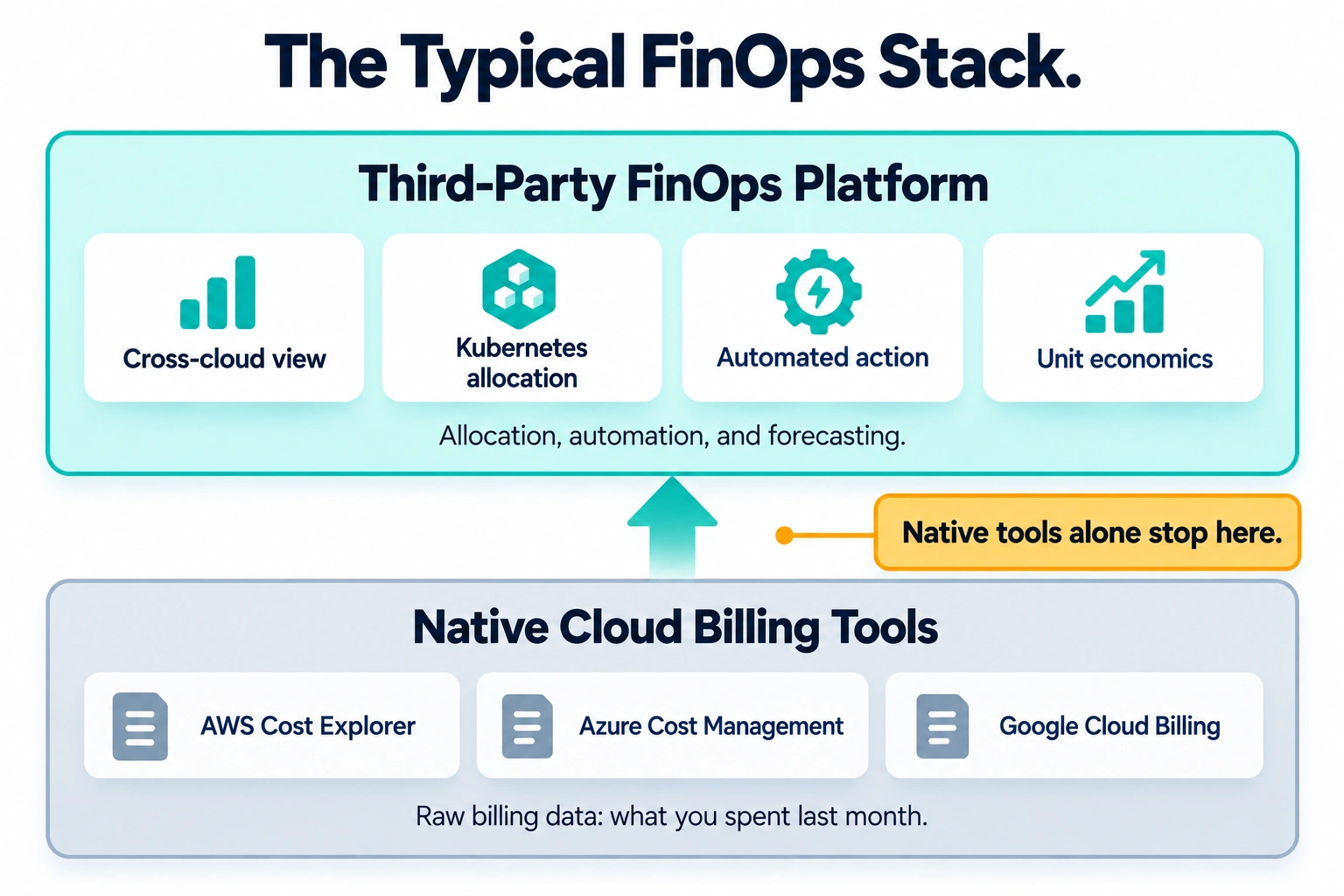
Every major provider ships its own free option: AWS Cost Explorer, Azure Cost Management, and Google Cloud’s native billing reports. For a single-cloud shop with modest spend, these aren’t bad starting points. They’re free, they’re built in, and they’ll tell you where the money went last month.
Where they fall short is exactly where FinOps software earns its keep:
- No cross-cloud view. Running AWS and Azure together means checking two dashboards and reconciling the numbers yourself.
- Weak Kubernetes granularity. Native tools can tell you what a cluster cost, not what a specific namespace, team, or customer cost inside it.
- Limited automation. Native tools surface recommendations. Most won’t act on waste automatically the way Harness or Vantage’s FinOps Agent will.
- No unit economics. Cost-per-customer or cost-per-feature reporting, the kind a CFO actually wants, isn’t something native billing tools are built to do.
Most FinOps-mature organizations end up running native tools for raw billing data and layering a third-party platform on top for allocation, automation, and forecasting. Treating the native tools as a replacement for actual FinOps framework compliant software usually works fine right up until the engineering org doubles.
Key Features to Look for in Enterprise FinOps Software
Not every platform needs every feature, but a few are worth checking carefully before signing anything:
- Automated rightsizing and idle resource cleanup. Recommendations are easy. Actual automated action, the kind Harness and Vantage’s agentic features offer, is what moves the needle on how to reduce cloud infrastructure spend without adding headcount.
- Multi-cloud and Kubernetes coverage. If you run workloads across AWS, Azure, GCP, and Kubernetes, confirm the platform actually supports all of them natively rather than through a thin integration.
- Real anomaly detection, not just monthly reporting. A spend spike caught in hours instead of weeks is the difference between a minor fix and a five-figure surprise.
- Transparent pricing, or at least a clear model. Several platforms on this list, CloudZero and CloudHealth especially, require a sales conversation before you see a real number. Budget time for that in your evaluation timeline.
- Unit economics reporting. If leadership wants cost-per-customer or cost-per-feature numbers, confirm the platform can produce them without a six-week tagging cleanup project first.
Buyer Checklist: Picking the Right FinOps Platform
- Confirmed coverage for every cloud provider and Kubernetes cluster you actually run
- Tested anomaly detection against a real past spend spike, not just a demo scenario
- Verified whether the platform automates fixes or only recommends them
- Priced the platform against your actual annual cloud spend, not the lowest advertised tier
- Checked whether unit economics reporting works with your current tagging setup
- Confirmed contract length and whether multi-year terms meaningfully lower the rate
Frequently Asked Questions
Q. What is the best cloud cost management software for a company that’s mostly Kubernetes?
A. Kubecost, without much competition. Its free tier covers a meaningful amount of usage, and its allocation depth at the namespace and pod level is still ahead of the general-purpose platforms.
Q. Kubecost vs CloudZero, which should I pick?
A. They’re not really solving the same problem. Kubecost goes deep on Kubernetes allocation specifically. CloudZero goes wide across unit economics and AI cost intelligence across your whole cloud footprint. Larger engineering orgs often end up running both.
Q. Vantage vs Harness Cloud Cost Management, what’s the real difference?
A. Vantage is built for fast, self-service visibility across cloud, SaaS, and AI spend with light automation. Harness CCM goes further on actual automated action, stopping idle environments and orchestrating commitments, but it’s priced as a percentage of spend and really shines for teams already running Harness for CI/CD.
Q. Are AWS Cost Explorer alternatives worth paying for if we’re AWS-only?
A. If you spend is modest and you’re single-cloud, Cost Explorer plus some tagging discipline might genuinely be enough. Once Kubernetes, multi-account structures, or real forecasting needs enter the picture, a dedicated AWS cost management tool built for FinOps workflows usually pays for itself quickly.
Q. How do these platforms actually help reduce cloud infrastructure spend, not just report on it?
A. The platforms that move the needle combine three things: catching anomalies fast, automating fixes for idle or oversized resources instead of just flagging them, and giving engineering teams visibility into their own cost impact in real time, not in a monthly report nobody reads until it’s too late to act on it.

The Team Compare BizTech is made up of people from marketing backgrounds, digital marketing & content marketing backgrounds, each with unique experiences and nuggets of wisdom to share with you. The team is passionate about creating unique, accurate, and engaging content.