
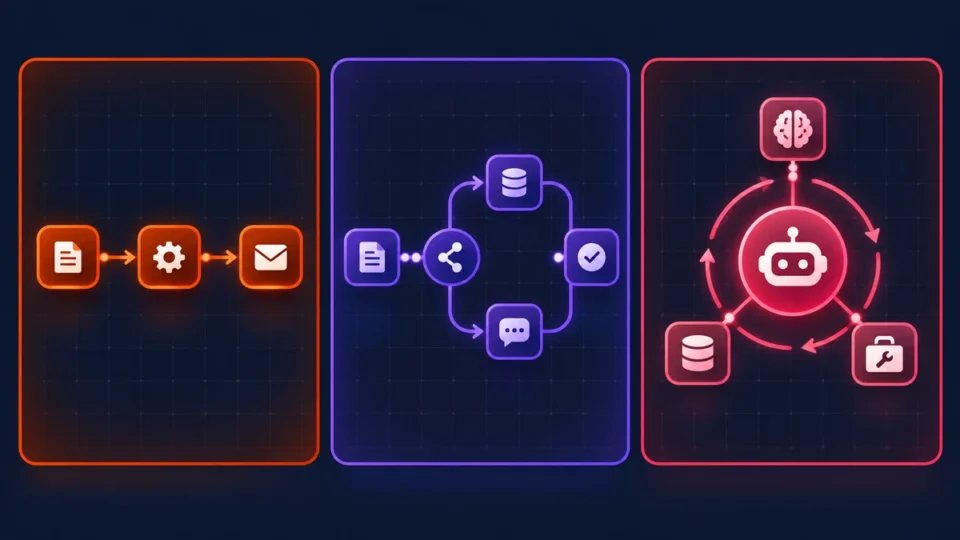
Picking a winner in zapier vs make vs n8n ai agents used to come down to one question: which app connectors do you actually need? That’s not really the question anymore. Now it’s whether the platform can run an agent that loops, holds onto context, calls tools mid-task, and doesn’t buckle the second a workflow gets complicated. Only one of these three was really built with that in mind from the ground up, and the gap shows up fast once you move past simple if-this-then-that automations into something that behaves like an actual agent.
This piece looks at Zapier, Make, and n8n through that lens specifically. What each one costs once AI steps enter the picture. Which fits your team’s technical comfort and which doesn’t. If you’ve been hunting for the best automation tools for ai, or trying to settle n8n vs. make vs. zapier for agentic workflows once and for all, here’s where things actually stand.
Quick Comparison: Zapier vs. Make vs. n8n for AI Workflows
| Factor | Zapier | Make | n8n |
| Best for | Simple AI actions, no-code teams | Multi-step visual AI logic | Complex, developer-led AI agents |
| Pricing model | Per task (per action step) | Per operation (per module step) | Per execution (cloud) or free self-hosted |
| Free tier | 100 tasks/month | 1,000 operations/month | Unlimited, self-hosted Community Edition |
| Entry paid plan | ~$19.99/month (750 tasks) | ~$9–10.59/month (10,000 ops) | ~$20/month cloud, or free self-hosted |
| Self-hosting | No | No | Yes (Docker, VPS, Kubernetes) |
| Native AI agent / LangChain support | Zapier Central, AI Actions | Make AI Assistant, AI connectors only | Native AI Agent Node, full LangChain |
| Agent loops / multi-step reasoning | Limited | Not native | Yes |
| MCP support | Yes (Zapier MCP) | No | Community modules |
| Integration count | 8,000+ | 2,000+ | 1,000+ (plus any API via HTTP/code) |
Zapier: Best No-Code Ecosystem for Simple AI Actions
Zapier’s pitch hasn’t really moved in over a decade. More app connectors than anyone, the easiest interface for getting something running today. The new part is how much AI now sits on top of that. Zapier Central lets you assemble what it calls AI teammates, agents that run Zaps, answer questions through a chat interface, and talk to outside tools like Claude or ChatGPT through a native hosted Model Context Protocol server endpoint plus a Zapier Actions REST API. AI Actions drop natural-language steps straight into a Zap, and Copilot will draft one from a plain English sentence without much prompting.
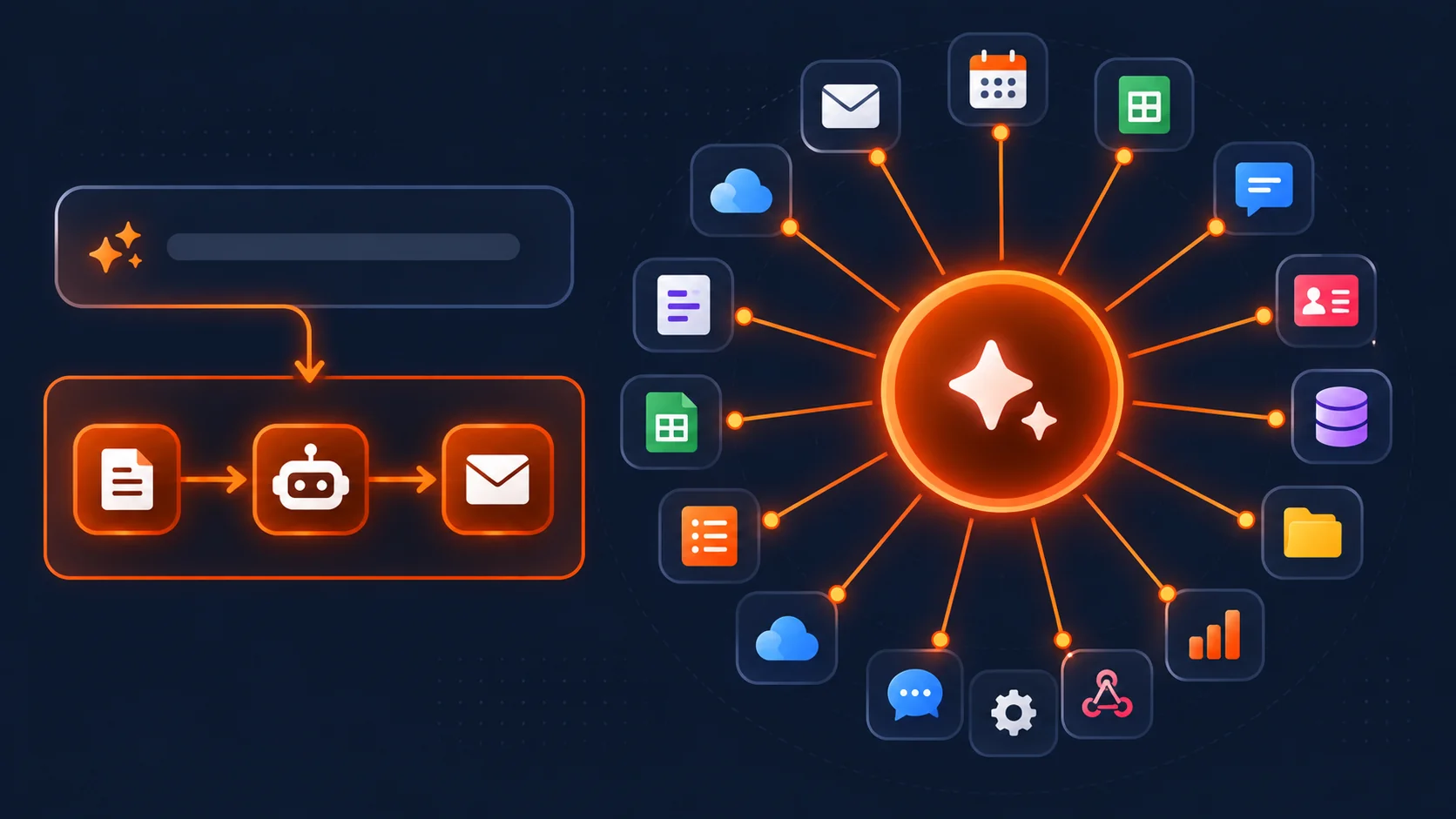
It’s still the biggest app ecosystem of the three by a wide margin, so a missing integration rarely blocks you. It’s also just faster to get a first working automation out the door than the other two, no technical background needed. And native MCP support means outside AI tools can call directly into Zapier instead of routing through some clunky workaround.
Now the trade-off. AI step executions draw from the same task pool as every other action, and the heavier AI steps now burn multiple tasks per run, which eats the allowance faster than the pricing page lets on. There’s no real agent loop or genuine multi-step reasoning inside the core builder, that’s locked away in the separate Zapier Central product with its own bill. Load enough AI steps into one workflow and the meter starts spinning fast.
As for the actual numbers: free up to 100 tasks a month. The entry paid tier runs from $19.99 a month billed annually for 750 tasks, or $29.99 paying monthly, Professional lands somewhere between $49 and $74 depending on whatever’s running at the time for 2,000 tasks, Team sits near $69 to $103. Central is billed entirely separately, free to 400 activities a month, roughly $33 a month after that for 1,500 activities, on top of whatever platform plan you’re already paying for.
Make: Best Visual Scenario Builder for Multi-Step AI Logic
Make lands in the middle of this comparison, more visual depth than Zapier offers, more approachable than n8n’s code-first setup demands. Scenarios live on an actual canvas you can look at, branches and routers rendered visually, and that alone makes multi-step AI logic noticeably easier to debug than Zapier’s flatter, more linear structure. There’s a Make AI Assistant for drafting scenarios from a prompt, plus built-in modules that connect straight to OpenAI, Anthropic, and a few other providers.
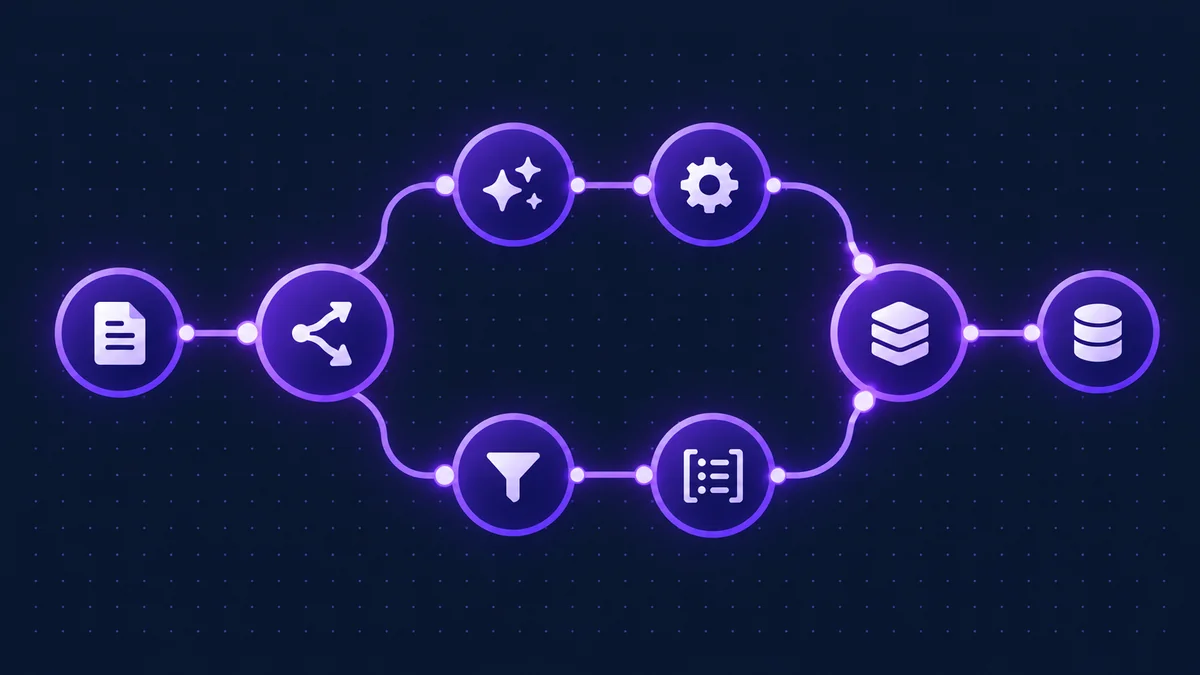
The part that doesn’t get talked about enough: Make’s data handling mid-workflow is genuinely strong. Its data mapper, custom HTTP request modules, and array aggregators turn a messy API response into something usable far more easily than either competitor manages by default. That matters more than it sounds once an AI step hands back something unstructured and the next step in line needs it cleaned up first.
So, the strengths. Clearest visual canvas of the three, hands down. Real data transformation tooling that saves actual build time past the basics. And at low to moderate usage, its operation-based pricing usually comes out cheapest of the three.
The gaps matter too, though. AI support tops out at connector modules doing prompt-in, response-out calls, there’s no real agent loop or LangChain-style orchestration under the hood. Zero self-hosting option, you’re on Make’s cloud whether that fits your data residency rules or not. And scenarios hit a wall around 40 minutes of execution time, which rules out anything that looks like a longer-running autonomous agent.
Free covers 1,000 operations a month, 2 active scenarios. Core runs about $9 to $10.59 monthly for 10,000 operations, Pro near $16 to $19 with priority execution added in, Teams around $29 to $34, all pulling from that same 10,000-operation base allowance. Enterprise means talking to sales, not reading a price on a page.
n8n: Best Self-Hosted Platform for Complex & Developer-Led AI Agents
For a team with some engineering chops that actually wants control, n8n is the clear pick here. It ships with full LangChain-based AI agent support built in, tool-calling, memory across window buffers, vector stores, Redis, RAG pipelines, genuine multi-agent orchestration, not a connector that pings a model once and walks away. The AI Agent Node runs natively on LangChain. Custom JavaScript or Python code nodes pick up whatever the visual builder can’t reach. Sub-workflows let a team build a piece of logic once and reuse it everywhere instead of rebuilding the same thing inside every single automation.
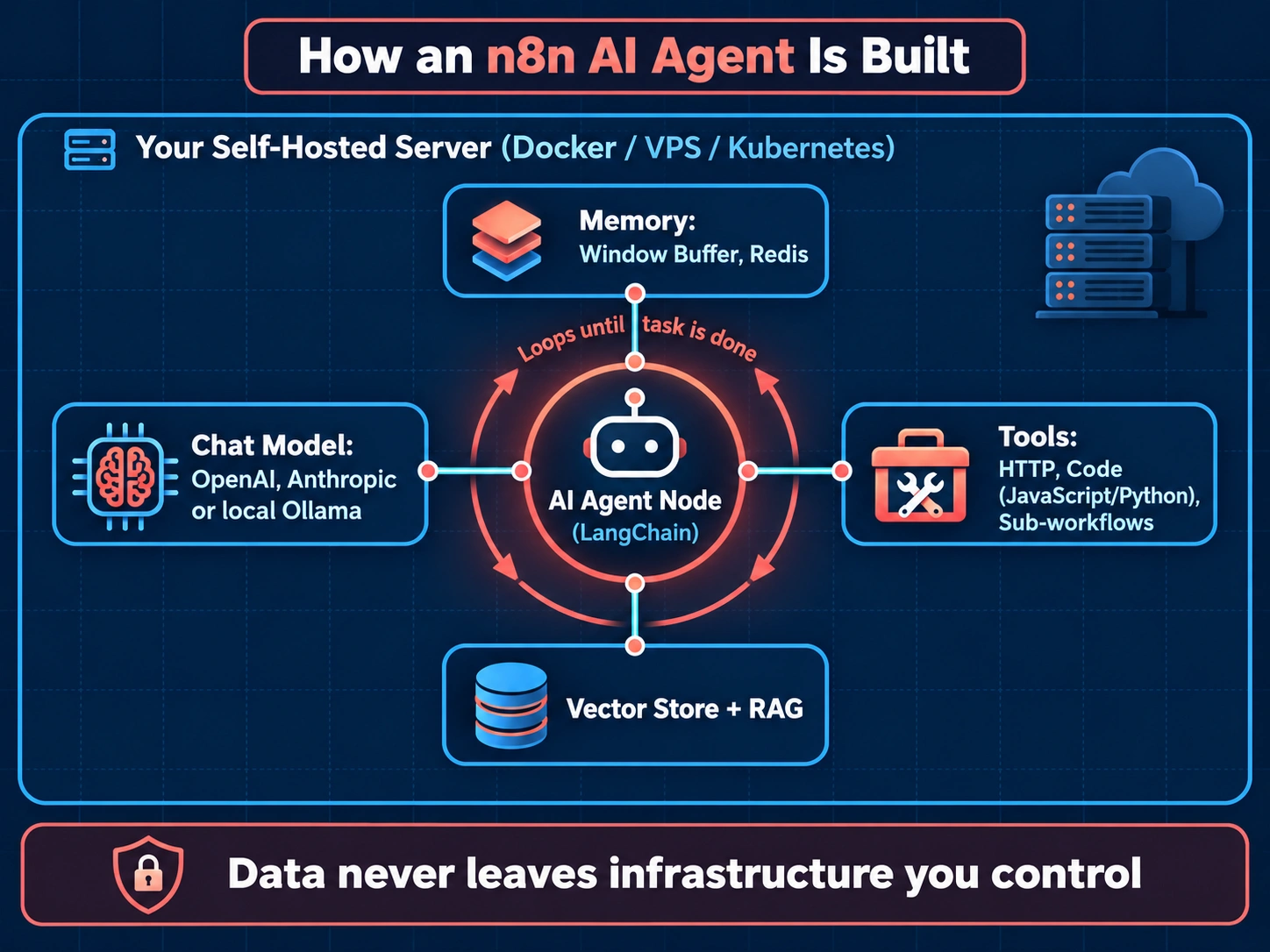
Self-hosting is the real dividing line once this work gets serious, though. Run Community Edition on your own server and unlimited workflows and executions cost nothing beyond hosting itself. That also buys real data sovereignty, a workable path toward gdpr compliant ai workflow automation, and the option to run n8n as a self-hosted zapier alternative for local LLMs where nothing sensitive ever leaves infrastructure you control. Connecting local ollama to n8n has become a fairly common setup now among teams who’d rather not send any workflow data to a third-party model API at all.
So, here’s what you’re actually getting: the only one of the three genuinely designed for long-running, looping AI agents with real memory and real tool use. A Community Edition that costs nothing, forever, unlimited workflows and runs, just a small VPS bill to keep the lights on. Full data sovereignty and local LLM support, which starts to matter a lot the moment compliance enters the conversation.
And what it asks of you in return: a learning curve steeper than either of the other two by a fair margin, this is a developer’s tool first and a no-code tool a distant second. Self-hosting means uptime, patching, and security land on your plate, not a vendor’s. The pre-built integration library runs smaller than Zapier’s too, though the HTTP node and code node close most of that gap in practice.
Community Edition costs nothing, self-hosted, no execution ceiling at all. Cloud plans open around $20 a month for Starter at 2,500 executions, Pro near $50 for 10,000, Business tiers climbing toward the low hundreds and up to roughly $800 a month for larger teams, plus custom Enterprise pricing with SSO and finer-grained permissions. A self-hosted server usually runs $5 to $20 a month on a small VPS.
Cost Comparison: Task-Based vs. Execution-Based Pricing under AI Workloads
This is where the three really pull apart, and where most teams get blindsided by the bill at the end of the month. Zapier and Make both charge per step, so every single action in a workflow, every AI call included, eats into the allowance on its own. n8n charges per full workflow run instead, meaning a ten-step AI agent workflow still only counts as one execution, period.
Here’s the math on a 6-step AI agent workflow, lookup, reasoning step, enrichment, draft, review, send, processing 100 tasks a day:
Zapier: roughly 600 tasks daily from standard steps alone, before AI steps start eating multiple tasks each under the newer pricing. A 750-task Starter allowance is gone inside a day and a half.
Make: 600 operations a day, which clears a 10,000-operation Core allowance in under three weeks flat, pushing most active AI workflows toward Pro or Teams fairly quickly.
n8n Cloud: 100 executions a day regardless of how many steps sit inside each one, well within even the Starter tier’s 2,500-execution allowance.
n8n self-hosted: unlimited executions for one flat server fee. Cost doesn’t move whether a workflow has five AI steps or fifty.
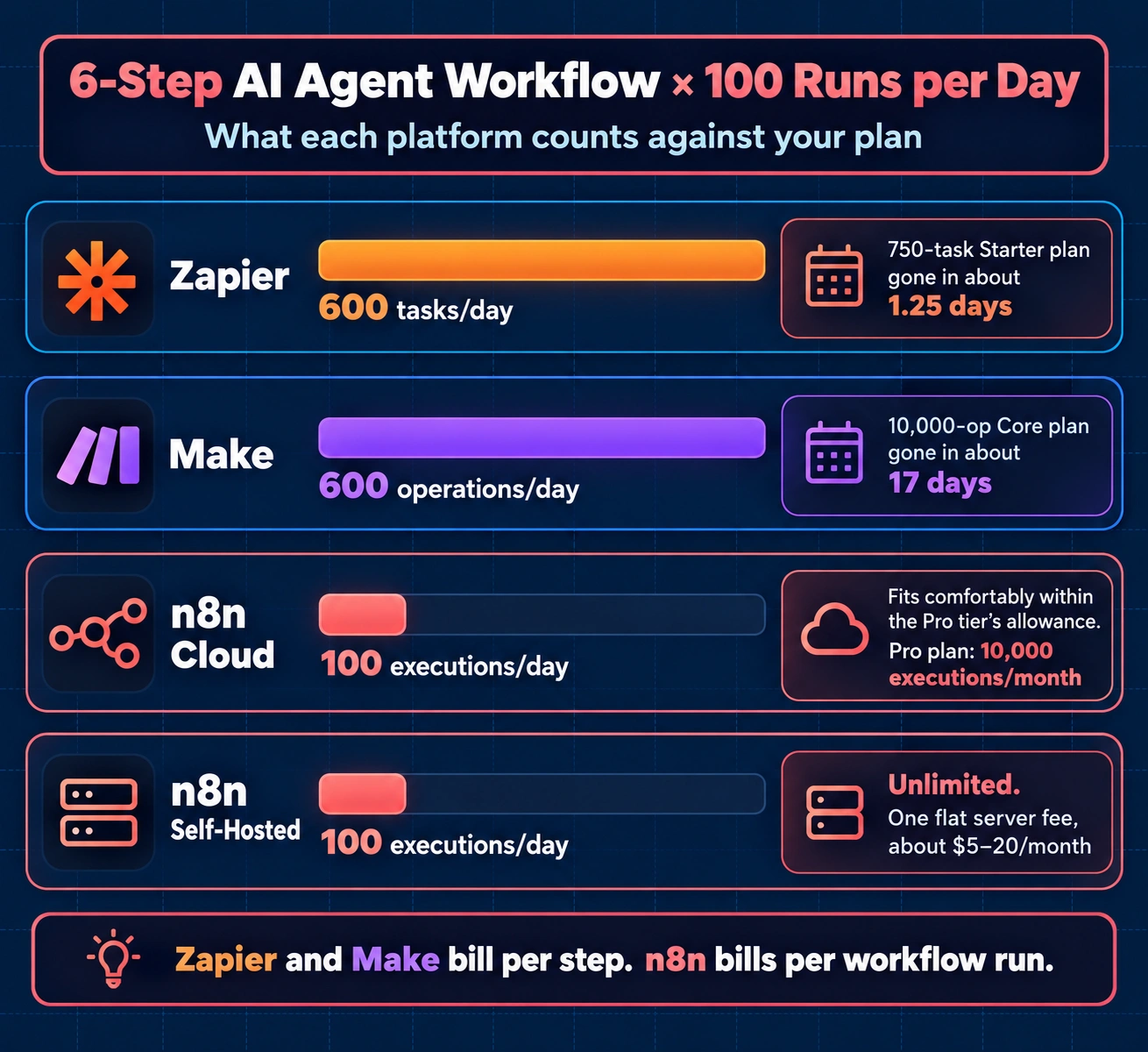
Zapier task usage for AI agents is really the risk to watch here, since the per-step model punishes an agent the moment it starts retrying or looping, every retry eats more of the pool. n8n execution-based pricing vs zapier tasks mostly comes down to how complex the actual workflow is: a simple, low-frequency automation might land at roughly the same cost either way, but anything resembling a real autonomous agent tip hard toward n8n. And on the question of the cheapest automation platform for high volume AI, it isn’t close, self-hosted n8n is the only one of the three that actually gets free as volume climbs.
Final Verdict: Which Automation Tool Should You Choose?
There’s no single best automation tools for ai answer sitting here waiting to be found. Just the right fit for how technical your team is and how complicated your agents genuinely need to get.
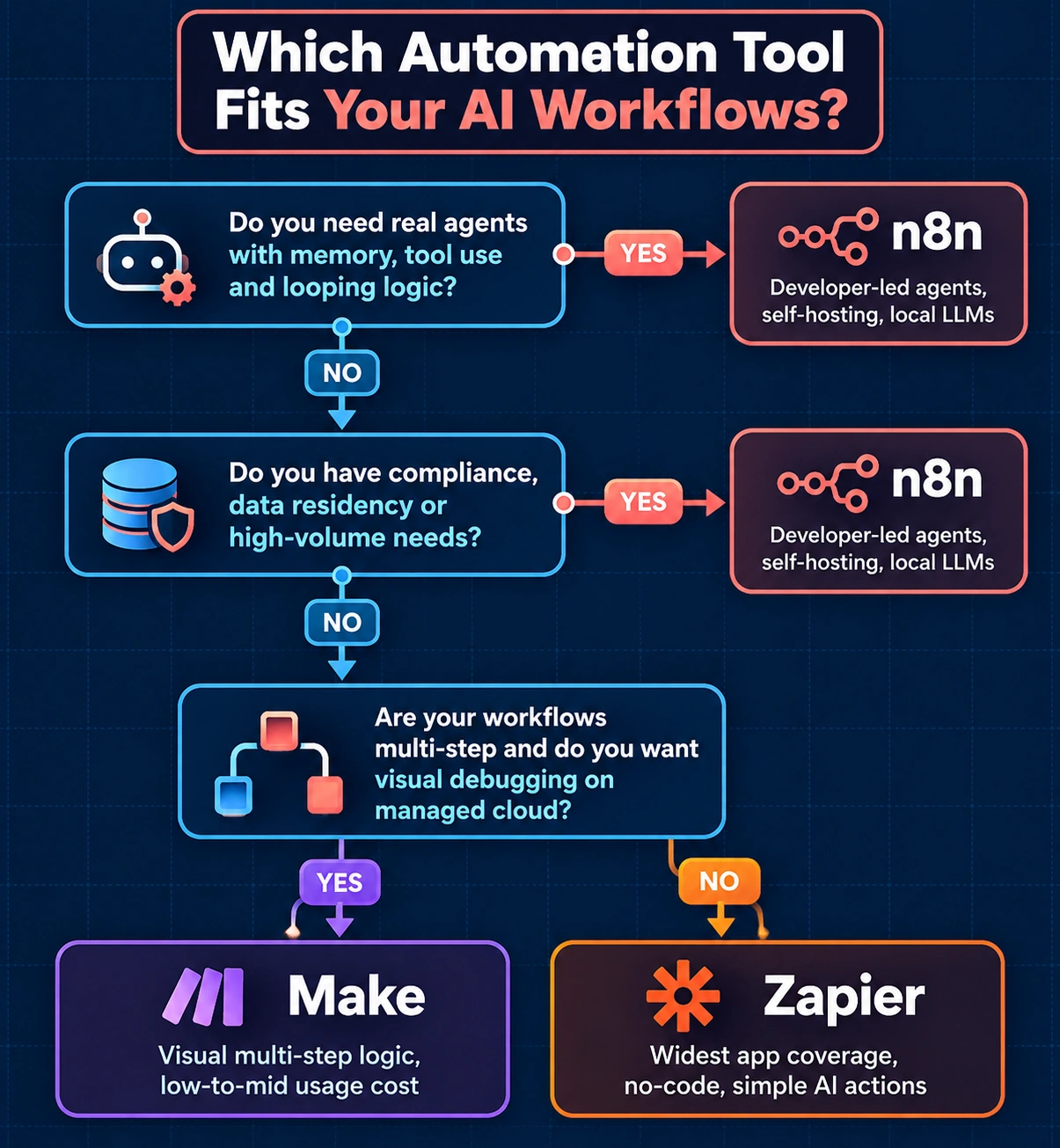
If the widest app coverage matters most, your AI use cases stay to simple single-step actions, and you want non-technical people building automations without looping in engineering, Zapier’s the one. If workflows are multi-step but still mostly linear, the clearest visual debugging experience matters, and staying on managed cloud infrastructure doesn’t bother anyone, Make fits better. And if the goal is real AI agents with memory, tool use, and looping logic, there’s a data residency or compliance box that needs checking, or volume is high enough that per-step billing would get painful fast, that’s n8n’s lane.
Buyer Checklist: Picking the Right Platform
- Does your team have the technical skill to self-host, or do you need fully managed cloud?
- Will your AI workflows loop, retry, or run long enough to hit per-step billing hard?
- Do you have GDPR, HIPAA, or other compliance requirements that favor self-hosted or regional data control?
- Do you need a true multi-agent orchestrator, or just a single AI step inside a simple automation?
- Have you estimated monthly task or operation volume against each platform’s pricing tiers, not just the entry price?
- Does your use case need local LLM support (Ollama or similar) instead of calling a third-party model API?
Work through that list honestly, and the decision tends to make itself before a single workflow gets built.

Praveen Kumar Panjiar is the founder of CompareBizTech.com, where he cuts through the noise in B2B tools with sharp, no-fluff comparisons. His work focuses on breaking down features, pricing, and real-world use cases, built specifically for high-intent buyers evaluating tools and looking to choose the right solution, fast.