

“AI-powered” is stamped on basically every CRM homepage now, and at this point the phrase barely means anything. You’ve seen it a hundred times. But open up Salesforce, HubSpot, Zoho, or Pipedrive today and something has actually changed underneath the marketing copy. These aren’t just databases for your contacts anymore. They read your inbox. They rank your leads overnight, while you’re asleep. They draft the follow-up email you’d otherwise put off for three days. A few of them will even carry on a whole customer conversation without a person touching it.
Is that worth your money, or is it just a new coat of paint on the same old software? That’s really the question. So, let’s actually look at what an AI CRM does day to day, what it costs once you get past the homepage price, and who genuinely benefits from one.
What Is AI CRM, Anyway?
Strip away the buzzwords and an AI CRM software platform is a normal customer database with machine learning and generative AI wired directly into the workflow, not stapled on as a side app. That difference is bigger than it sounds. A chat widget sitting in the corner of your screen isn’t the same thing as a system quietly reading every open deal in your pipeline and ranking them by who’s actually going to buy.
What people mean by intelligent CRM in 2026 tends to be some mix of the following:
- Lead scoring built off your own past deals, not a generic industry model
- Writing tools that draft the email, the call recap, the next step, so you’re not starting from a blank page
- Agents (some half-automated, some fully automated) that can answer a customer or qualify a lead with no rep involved
- Forecasting that looks at deal age and rep-level close rates instead of a manager rounding up out of hope
- Sentiment tools that catch when someone sounds annoyed, or sounds like they’re finally ready to sign
Salesforce built most of this in through Einstein and Agentforce. HubSpot calls its version Breeze. Zoho calls it Zia. And smaller names, Pipedrive, Freshsales, Attio, have caught up with cheaper, lighter takes on the same idea, aimed at teams who don’t want a six-month rollout or an enterprise invoice.
Traditional CRM vs. AI CRM: What Actually Changes
A regular CRM is a filing cabinet. A very well organized one. You put in contacts, notes, deals, tasks, and nothing gets lost. But it never tells you anything you didn’t already know. It just remembers it for you, politely, forever.
An AI sales CRM adds judgment on top of that. Instead of dumping 200 open leads on you and calling it a day, it tells you which twenty are worth a phone call right now. Instead of you writing yet another follow-up from scratch, it hands you a draft based on the last thing that customer actually said. Instead of guessing next quarter’s revenue over a cup of coffee, it does the math against your real close rates.
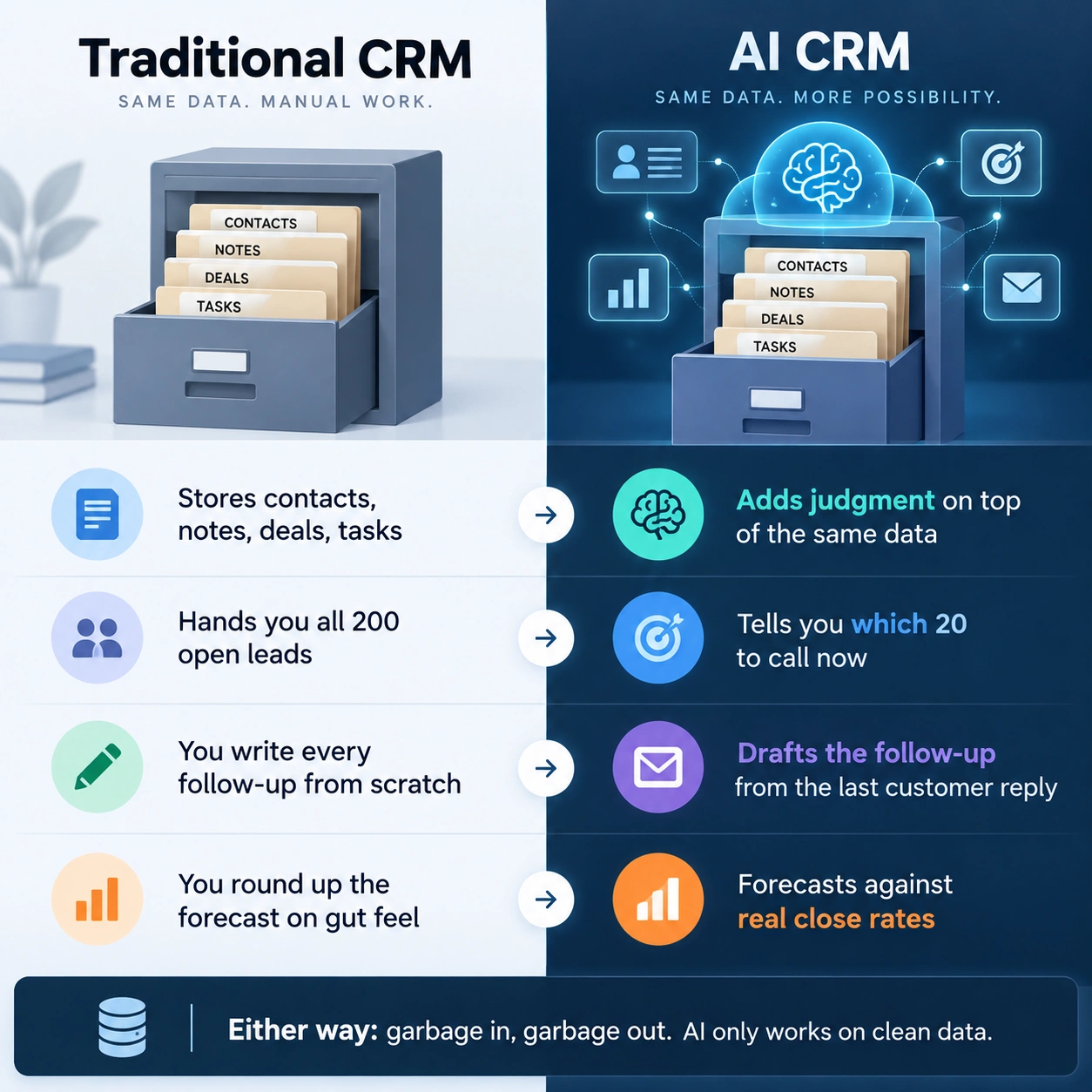
Here’s the catch nobody puts on the pricing page though. None of it works if your data’s a mess. Skipped call logs, deals sitting in the wrong stage for months, leads nobody bothered to tag properly, feed that mess into an AI model and you just get confident-sounding nonsense back. Garbage in, garbage out isn’t a cliché here. It’s the real reason most CRM automation projects quietly fizzle out after month two.
Lead Scoring: The Feature Everyone Actually Uses
Ask ten sales reps what they’d change about their CRM and at least half will say some version of “tell me who to actually call.” That’s lead scoring, and it’s probably the single AI feature that earns its keep across the board.
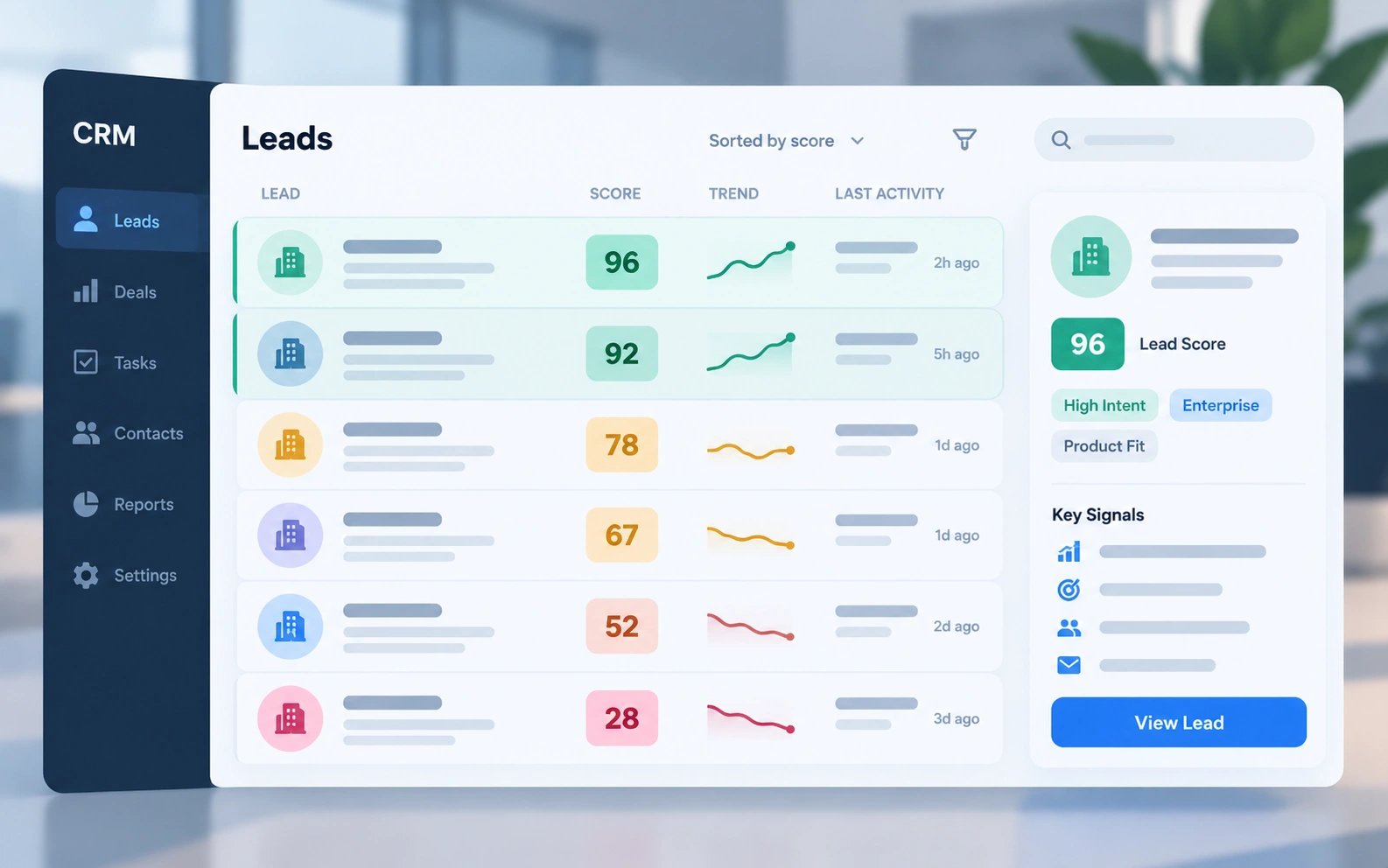
Zoho’s Zia looks at your historical conversion data, meaning which leads actually became paying customers and what they had in common, then builds a scoring model from that automatically. New leads show up already ranked, so reps sort by score instead of working the list top to bottom like it’s 2015. That lives on Zoho CRM’s Enterprise plan and above, $40 per user per month on annual billing.
Freshsales runs something similar through Freddy AI, tagging contacts 0 to 99 based on engagement and fit. That’s part of Pro, roughly $39 a seat, though the deeper Freddy Copilot stuff tends to get sold separately and can nudge the real cost up toward $60 or $70 a seat once you want the good version.
Salesforce’s Einstein has done predictive scoring for years, and it’s genuinely good if you’re already deep in Salesforce. The catch: the useful parts sit behind Enterprise edition, starting around $175 a seat, so you’re never buying lead scoring on its own. You’re buying the whole platform and scoring just rides along.
Does it actually move the needle, or is it a vanity number on a dashboard? Depends entirely on your data. A team with a few hundred closed deals behind them will see reps genuinely stop wasting time on dead leads. A startup with twelve deals total in the pipeline won’t see much of anything yet, there just isn’t enough history for the model to learn from. Don’t expect month-one magic.
Sales Forecasting Gets a Lot Less Guessy
Old-school forecasting was a sales manager staring at the pipeline and rounding everything up because reps are, famously, optimists about their own deals. AI forecasting instead looks at how long deals sit at each stage, individual rep close rates, and seasonal patterns, and spits out a number with an actual confidence range attached to it.
HubSpot’s Sales Hub Professional, about $90 a seat monthly on annual billing, bundles this in with conversation intelligence and predictive scoring, which is a decent all-in-one if you’d rather not stitch three tools together yourself. Salesforce’s Einstein forecasting goes deeper, but needs Enterprise or Unlimited underneath it, so there’s real money on the table before you see any payoff.
One honest limit worth saying out loud: the model only knows your past. Pivot the business, launch something new, or move into a market you’ve never sold into, and the AI is forecasting off history that no longer describes you. Use it as a second opinion. Don’t build next quarter’s budget on it blindly.
Automated Follow-Ups: Where the Real Time Gets Saved
This one’s unglamorous, and it’s probably saving more actual hours than anything flashier on this list. Good AI CRM software can draft the follow-up email, the meeting recap, the suggested next step, based on what just happened on a call or where a deal sits.
HubSpot’s Breeze bakes a meeting assistant and email drafting straight into Sales Hub Professional. Pipedrive’s AI Sales Assistant, available from its $14-a-seat Essential plan, suggests next actions and can draft an email (OpenAI running underneath, for what it’s worth). Nothing sends without you clicking approve first. But it does wipe out the blank-page problem almost entirely, and if you’ve ever stared at an empty draft for ten minutes trying to word a follow-up, you know that’s worth something.
Salesforce’s Agentforce goes a step past this into real autonomy, where the agent can draft and, depending on setup, actually send a follow-up with nobody reviewing it. That’s a bigger leap than it sounds, and we’ll get into why further down.
Segmentation Without the Spreadsheet Headache
Segmenting customers used to mean exporting a list, wrestling a pivot table into shape, tagging groups by industry or deal size, then redoing the whole thing three months later because everything shifted. AI segmentation just runs continuously in the background instead, spotting things like “these accounts all churned within 90 days of an unresolved ticket” or “leads from this one webinar convert at double the normal rate.”
Zoho Zia and HubSpot’s smart lists both handle this well, keeping segments live instead of freezing them the day someone built the list. Marketing teams get the obvious win here, running campaigns off segments that actually update. But sales get something too, mainly a fast answer to “which of my current accounts look like our best customers from two years back?”
Predictive Analytics: Catching Trouble Before It Shows Up
In CRM-speak, predictive analytics mostly means churn warnings, risk flags on stuck deals, and anomaly detection. Zia’s version flags a deal or account acting strange next to similar past ones, stuck at one stage way too long, or engagement that just dropped off a cliff for no clear reason. Genuinely useful if you’re an account manager trying to catch a relationship before it’s gone, instead of finding out at renewal time that it’s already over.
The limitation: this is only as sharp as the pattern history feeding it, and it tends to work best on Enterprise-tier plans where the vendors actually invested real modeling work. Smaller tools have their own lighter versions, but don’t expect Pipedrive’s basic assistant to catch the subtle stuff a mature Einstein setup would.
AI Customer Support Inside the CRM
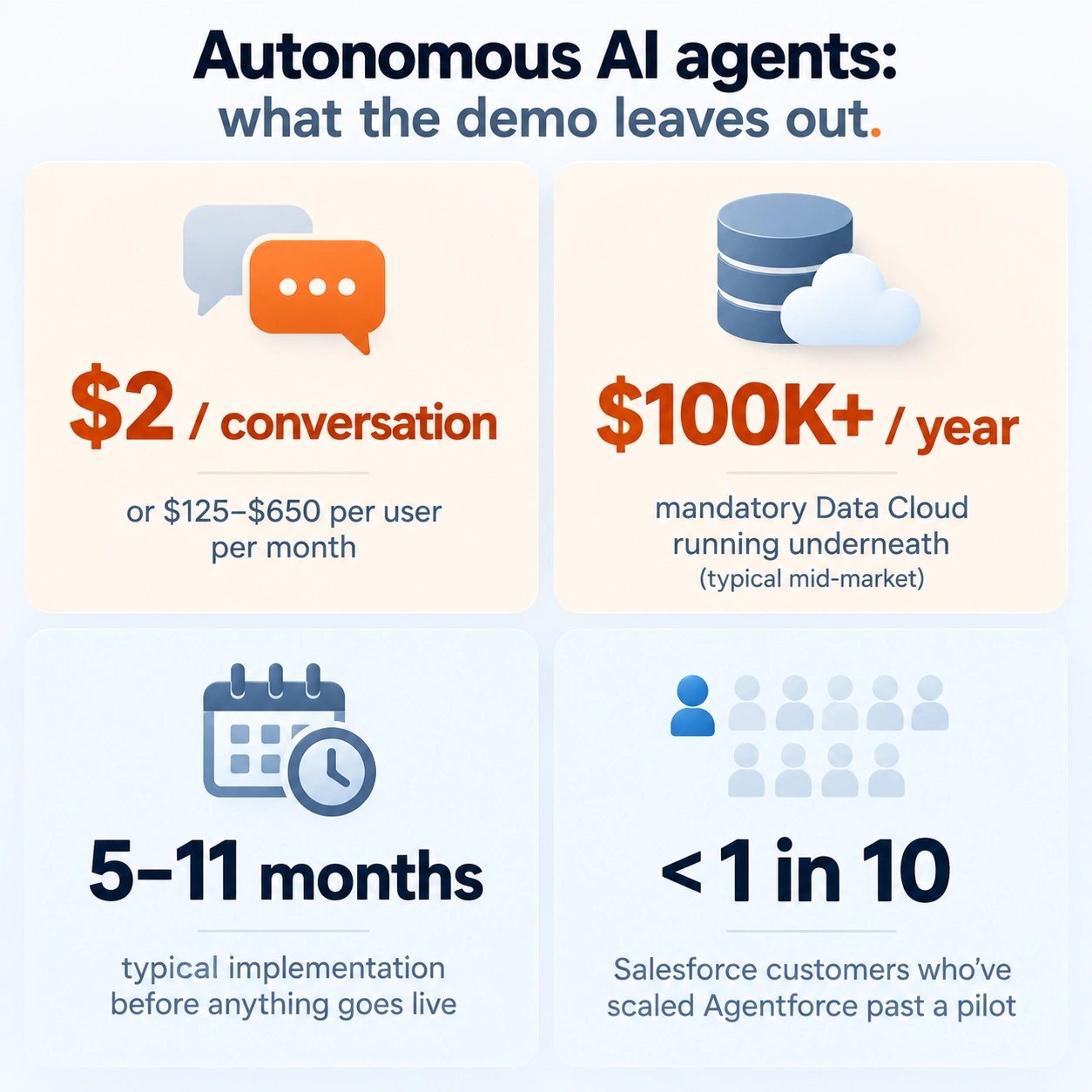
This is the fastest-moving corner of AI customer management right now, and honestly, also the most overhyped. Salesforce’s Agentforce is the boldest swing here, an autonomous agent that resolves a support ticket entirely on its own instead of just suggesting a reply for someone to approve. It’s priced at $2 a conversation, or about $0.10 per action through Flex Credits, or as a per-user license running $125 to $650 a month depending on usage.
Here’s what doesn’t make it into the demo though. Agentforce needs Salesforce Data Cloud running underneath it, and that alone runs past $100,000 a year for a lot of mid-market setups, plus implementation that commonly takes five to eleven months before anything’s actually live. Some reporting puts the number of Salesforce customers who’ve scaled Agentforce past a pilot at under one in ten. That’s not really a knock on the tech. It’s more a reminder that “autonomous AI agent” sounds a lot simpler in a sales pitch than it is to actually stand up.
Zoho goes lighter. Zia’s Answer Bot and the rest of its AI suite come bundled into Zoho Desk Enterprise for $40 a month per agent, no per-resolution charge tacked on, which is genuinely a good deal if you’re already living in the Zoho world. HubSpot’s Breeze Customer Agent charges $0.50 per resolved conversation now (it was a flat dollar regardless of resolution until April), which is more transparent but still adds up once you’re handling a few thousand tickets monthly.
Where does that leave you? These tools genuinely knock out a real chunk of simple, repetitive tickets, password resets, order status, the basic how-do-I questions. They’re not a replacement for a support team handling anything with actual nuance, not yet anyway, and anyone telling you to fire your support staff because of this is selling something.
WhatsApp CRM: Its Own Little Category
Sell to customers in India, Latin America, Southeast Asia, or the Middle East and WhatsApp aren’t a bonus channel, it’s often the main one. That’s created a whole sub-category built around the WhatsApp Business API with AI chatbots stacked on top.
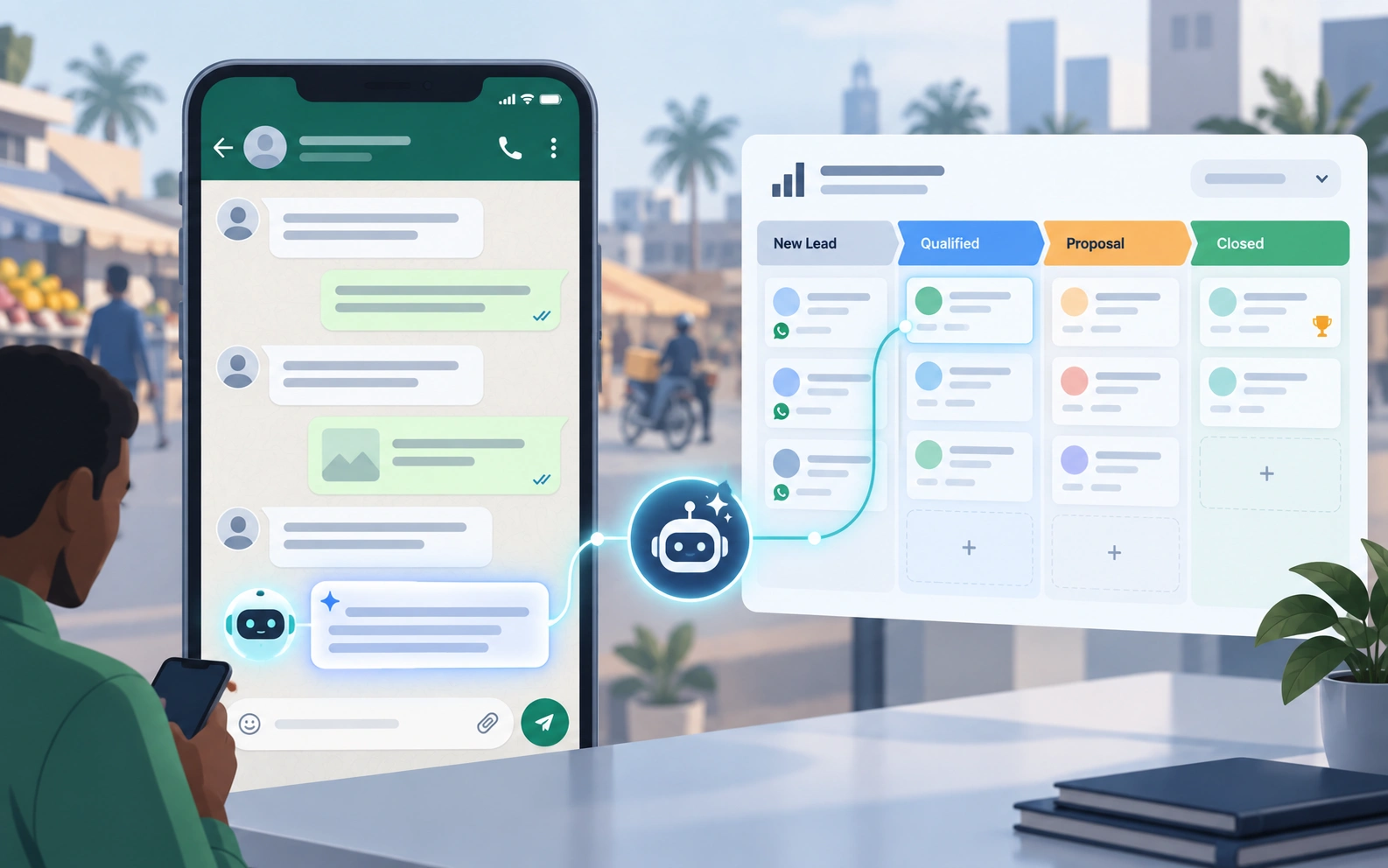
Kommo (you might still know it as amoCRM) is probably the most complete option here, a real visual sales pipeline with native WhatsApp built in, starting at $25 a seat on Base and going up to $45 on Pro, with AI credits included for auto-replies and chat summaries. It’s an actual CRM that happens to speak WhatsApp fluently, not a messaging app wearing a CRM costume.
WATI, AiSensy, and Gallabox lean harder toward broadcast campaigns and automation than a full sales pipeline, usually $20 to $100 a month depending on message volume, with lighter or bolted-on CRM features. Need a real pipeline sitting next to WhatsApp? Kommo or Zoho CRM with a WhatsApp extension will do more for you than a messaging-first tool trying to play CRM.
One thing to watch no matter who you pick: message-based pricing sits on top of the subscription. Nearly every WhatsApp CRM bills separately for messages actually sent through Meta’s API, so a big campaign can spike your bill even when your seat count hasn’t moved an inch.
Who Should Actually Buy an AI CRM (and Who Should Skip It)
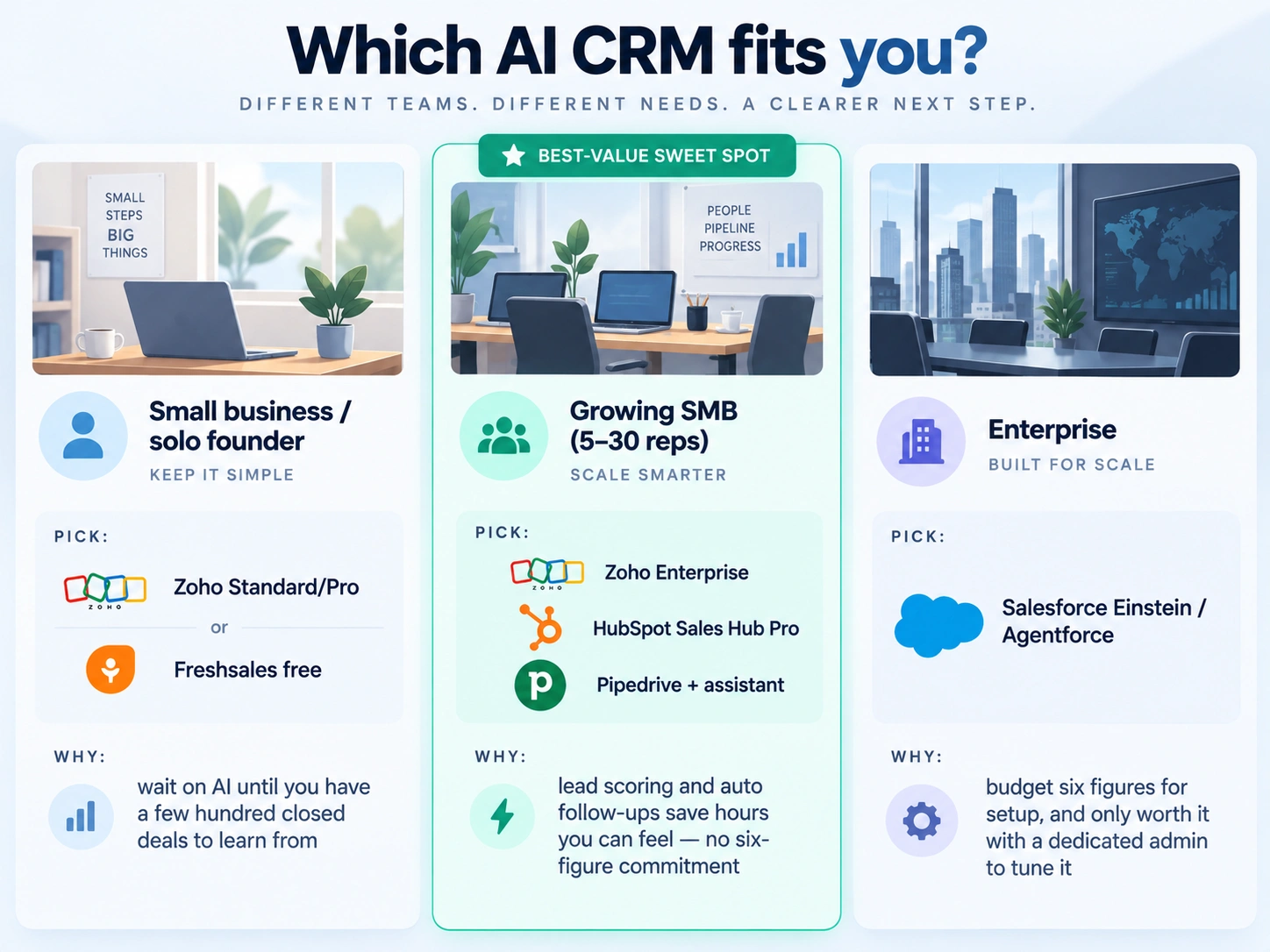
Small businesses and solo founders are usually better off on Zoho CRM’s Standard or Professional tier, or Freshsales’ free plan, and holding off on the AI upgrade until there’s actually a few hundred closed deals worth of history to learn from. Buying Enterprise-tier AI before you’ve got data to feed it is paying for a feature with nothing to chew on.
Growing SMBs with a real sales team, call it five to thirty reps, get the clearest payoff from mid-tier AI: Zoho Enterprise, HubSpot Sales Hub Professional, or Pipedrive with its built-in assistant. This is the sweet spot where lead scoring and automated follow-ups start saving hours you can actually feel, without a six-figure Data Cloud commitment looming over the decision.
Enterprise teams are the realistic buyers for Salesforce Einstein and Agentforce, and even then, budget six figures for implementation before the AI does anything genuinely useful. No dedicated admin or ops person to tune and maintain it? The tooling underdelivers no matter how much gets spent.
IT consultants advising clients should be upfronting that “AI CRM” isn’t one tier of anything. It runs from a basic scoring algorithm bundled into a $14 Pipedrive seat all the way to a $600,000 first-year Agentforce build. Match the recommendation to the client’s actual data maturity, not just what their budget can technically stretch to cover.
What It Actually Costs
Rough ladder, cheapest real AI features first, most expensive last:
- Zoho CRM Enterprise: $40/user/month, Zia included, no per-resolution fees
- Freshsales Pro: around $39/user/month, Freddy included, though Copilot add-ons often push the real number to $60-$70
- Pipedrive: $14 to $79/user/month, AI assistant included at every tier
- HubSpot Sales Hub Professional: around $90/seat/month, plus Breeze credits for the heavier generative stuff
- Salesforce Einstein add-ons: $50 to $75/user/month stacked on an Enterprise-tier seat ($175+/user/month)
- Salesforce Agentforce: $2/conversation, or $125 to $650/user/month, plus a mandatory Data Cloud subscription (often $100K+/year) for anything actually in production
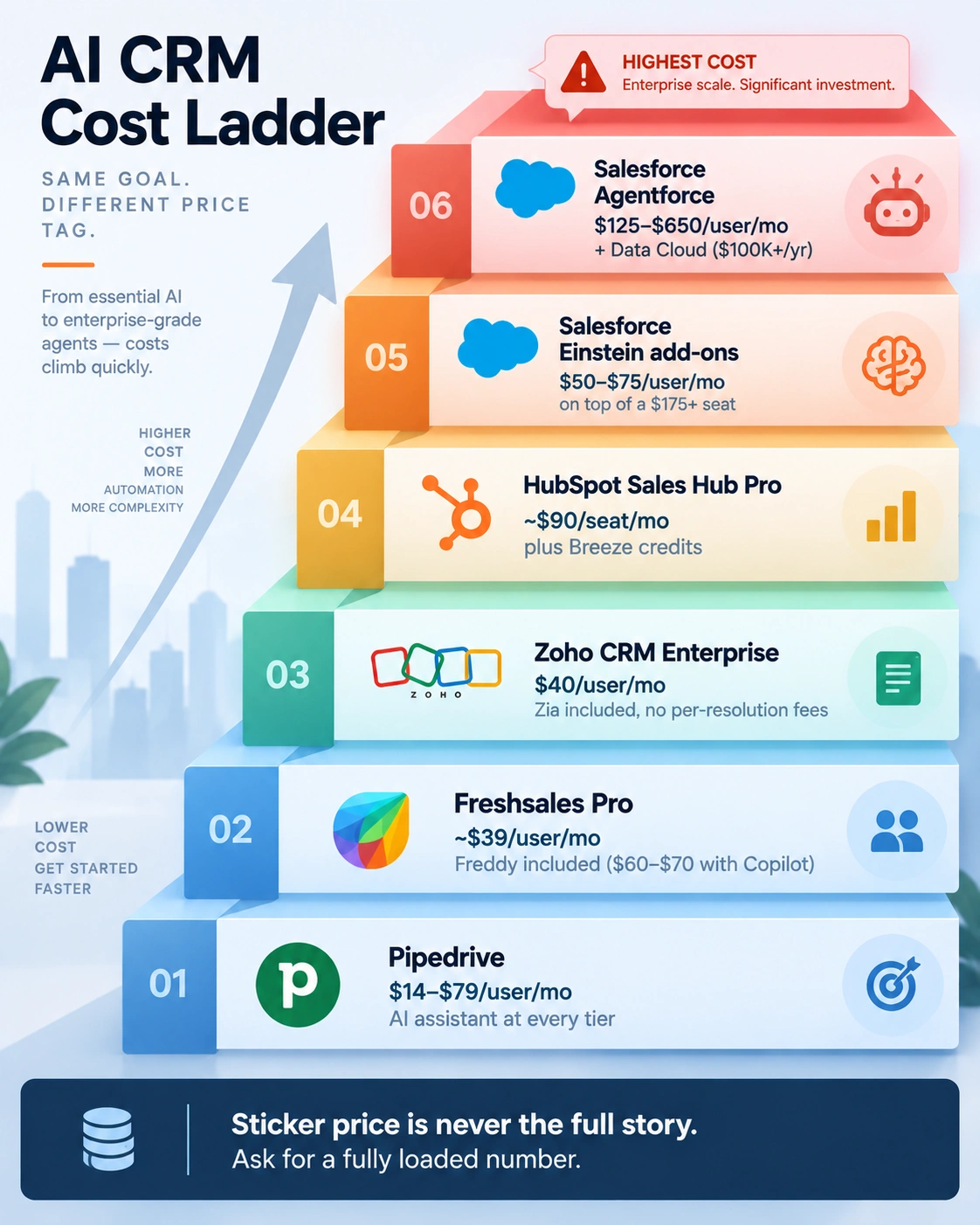
Notice a pattern? The sticker price is never the full story anywhere on this list. Onboarding fees, add-on modules, and per-conversation charges are where budgets blow past the quote, so just ask the vendor directly for a fully loaded number before signing anything.
Security: What’s Actually Worth Asking About
An AI CRM raises a real data question, because these systems are reading customer emails, call transcripts, and deal notes to generate their suggestions in the first place. So before flipping on any AI feature, ask the vendor directly: does customer data get used to train shared models across other customers, or does it stay locked to your account? Most of the major players, Salesforce, HubSpot, Zoho, now commit contractually to not training shared models on your data. But the fine print varies by plan tier, so get that in writing rather than assuming it covers every tier by default.
Also worth asking: what happens when an agent can act on its own, sending an email or updating a record with no human sign-off. Make sure there’s an audit trail and an easy way to undo whatever the AI just did, especially while you’re still piloting something like Agentforce or Breeze’s Customer Agent.
FAQ
Q. Do I need a big sales team to benefit from AI CRM?
A. Not necessarily. You do need enough historical deal data for the predictive stuff to actually learn something. A one-person shop with ten leads a month won’t get much from lead scoring yet, but the automated follow-up drafting can still save real time even at that small a scale
Q. Is Salesforce Agentforce worth it for a mid-market company?
A. Only if you’re ready for the real number, which usually lands somewhere between $150,000 and $600,000 in year one once Data Cloud and implementation get counted in. Most mid-market teams get a better return from Einstein add-ons or a lighter platform like Zoho or HubSpot instead
Q. What’s the cheapest way to get real AI features in a CRM?
A. Zoho CRM Enterprise at $40 a seat is probably the best value going right now, bundling lead scoring, anomaly detection, sentiment analysis, and a chatbot with no separate AI add-on fee
Q. Can AI CRM fully replace a customer support team?
A. Not yet. It handles repetitive, well-defined questions fine, but anything nuanced or emotionally charged still needs a human, and the deflection rates vendors love to quote rarely account for how much setup and tuning it takes to actually get there.
Q. Does WhatsApp CRM need to be separate from my main CRM?
A. Not always. If WhatsApp is genuinely your main sales channel, something like Kommo that pairs a real pipeline with native WhatsApp usually beats bolting a WhatsApp integration onto a CRM that was never built with messaging in mind.

Praveen Kumar Panjiar is the founder of CompareBizTech.com, where he cuts through the noise in B2B tools with sharp, no-fluff comparisons. His work focuses on breaking down features, pricing, and real-world use cases, built specifically for high-intent buyers evaluating tools and looking to choose the right solution, fast.